
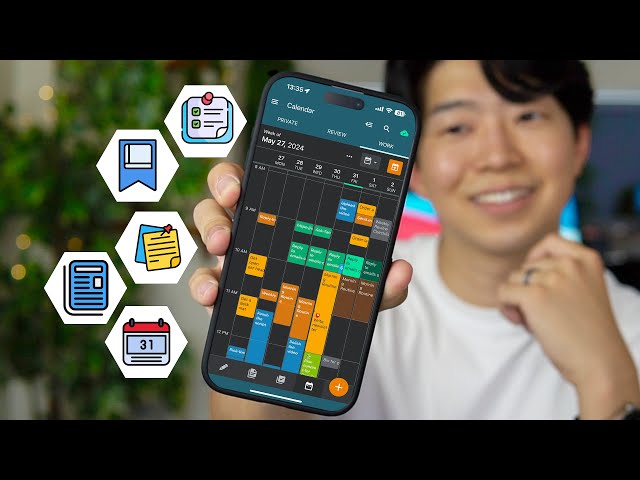
Your Android phone can either help you stay organized or become another source of distractions. Between work, school, family responsibilities, shopping lists, appointments, passwords, and personal goals, it is easy to lose track of important information.
The good news is that you do not need expensive software to stay organized. Many free Android apps offer practical tools for managing your schedule, taking notes, organizing files, tracking habits, and planning daily tasks.
The key is choosing apps that solve real problems instead of installing dozens of similar tools that consume storage and make your phone harder to manage.
This guide introduces the ORGANIZE SMART Method, a simple framework for choosing productivity apps that fit your daily life.
The ORGANIZE SMART Method
Before downloading any productivity app, ask whether it helps you:
- O — Organize your tasks
- R — Remember important dates
- G — Group related information
- A — Arrange files efficiently
- N — Notice your daily habits
- I — Improve your workflow
- Z — Zero unnecessary clutter
- E — Evaluate usefulness regularly
- S — Save time
- M — Manage priorities
- A — Access information easily
- R — Reduce distractions
- T — Track your progress
1. Google Keep
Best for: Quick notes, shopping lists, reminders
Google Keep is one of the easiest note-taking apps for Android.
You can:
- Create notes instantly
- Make checklists
- Record voice notes
- Add reminders
- Organize notes with labels and colors
Its clean design makes it perfect for people who want a simple place to capture ideas before they forget them.
2. Google Calendar
Best for: Scheduling appointments and planning your week
Google Calendar helps you organize:
- Meetings
- Birthdays
- Deadlines
- Study schedules
- Family events
Color-coded calendars make it easier to separate work, personal, and family commitments.
3. Microsoft To Do
Best for: Daily task management
Microsoft To Do allows you to create:
- Daily task lists
- Shopping lists
- Project checklists
- Reminders
- Recurring tasks
Its “My Day” feature helps you focus on today’s priorities without becoming overwhelmed.
4. Trello
Best for: Visual project organization
Trello uses boards and cards to organize projects.
It works well for:
- Students
- Freelancers
- Small businesses
- Household planning
- Content creation
Dragging tasks between columns makes it easy to see progress.
5. Notion
Best for: All-in-one productivity
Notion combines:
- Notes
- Task management
- Databases
- Calendars
- Project planning
Although beginners may need some time to learn its features, it can replace several separate productivity apps.
6. Todoist
Best for: Personal productivity
Todoist helps organize tasks by:
- Priority
- Due date
- Project
- Labels
It is particularly useful if you manage multiple responsibilities each day.
7. Files by Google
Best for: Storage management
Files by Google helps organize your phone by:
- Finding duplicate files
- Removing unnecessary downloads
- Managing documents
- Cleaning temporary files
- Sharing files offline
It can also help identify large files taking up storage space.
8. Google Drive
Best for: Cloud storage
Google Drive lets you safely store:
- Documents
- Photos
- PDFs
- Presentations
- Backups
Cloud storage allows you to access important files from multiple devices.
9. Evernote
Best for: Detailed notes
Evernote is useful for:
- Research
- Long notes
- Study materials
- Work documents
- Web clipping
It helps keep large amounts of information organized.
10. TickTick
Best for: Task planning with calendar features
TickTick combines several productivity tools, including:
- Task lists
- Calendar
- Habit tracking
- Focus timer
- Reminders
It works well for users who prefer one app for several organizational needs.
11. HabitNow
Best for: Building daily habits
HabitNow helps you track routines like:
- Drinking water
- Reading
- Exercise
- Meditation
- Study sessions
Seeing your progress over time can make habits easier to maintain.
12. Forest
Best for: Staying focused
Forest encourages you to stay away from distracting apps while working or studying.
Instead of constantly checking your phone, you complete focus sessions without interruptions.
It is especially useful for students and remote workers.
13. Pocket
Best for: Saving articles to read later
Instead of keeping dozens of browser tabs open, Pocket allows you to save interesting articles for later reading.
It works well for:
- Research
- News
- Tutorials
- Long-form articles
14. Bitwarden
Best for: Password management
Remembering dozens of passwords can be difficult.
Bitwarden helps you:
- Store passwords securely
- Generate strong passwords
- Organize login information
- Access accounts more easily
Using unique passwords for different accounts improves online security.
15. Simplenote
Best for: Minimal note-taking
Simplenote focuses on doing one thing well—taking notes.
It is lightweight, easy to use, and ideal for:
- Quick ideas
- Daily journals
- Lists
- Personal reminders
How to Choose the Right Apps
You do not need every productivity app available.
Start by identifying your biggest challenge.
If you struggle with remembering appointments, a calendar app may be enough.
If you often forget tasks, try a dedicated to-do list.
If your phone storage is full, a file management app may provide the biggest benefit.
Choose apps that solve your problems instead of downloading multiple apps with similar features.
A Unique Perspective: The Best Productivity App Is the One You Continue Using
Many people believe becoming organized means downloading more apps.
In reality, successful organization usually depends on consistency rather than technology.
A simple system using one calendar, one note-taking app, and one task manager is often more effective than switching between several complicated tools.
Digital organization should reduce stress, not create more work.
Create a Simple Productivity Setup
If you are just getting started, this combination works well for most Android users:
| Purpose | Recommended App |
|---|---|
| Notes | Google Keep |
| Calendar | Google Calendar |
| Tasks | Microsoft To Do |
| Files | Files by Google |
| Cloud Storage | Google Drive |
| Habits | HabitNow |
You can always add more apps later if your needs change.
Common Mistakes When Using Productivity Apps
Installing Too Many Apps
Having several apps that perform the same job often creates confusion.
Ignoring Notifications
Reminders only help if you review them regularly.
Creating Overly Complicated Systems
Simple routines are usually easier to maintain.
Forgetting to Review Tasks
Take a few minutes each day to check your schedule and priorities.
Keeping Unused Apps Installed
Remove apps that no longer serve a purpose to save storage space and reduce clutter.
Frequently Asked Questions
Are free productivity apps enough?
Yes. Most people can manage their schedules, notes, and tasks effectively using free apps.
Which app is best for beginners?
Google Keep, Google Calendar, and Microsoft To Do are easy to learn and cover the most common organizational needs.
Will productivity apps slow down my phone?
Well-designed apps generally have little impact on performance, but installing too many apps can use additional storage and system resources.
Can I use these apps offline?
Many of them support offline access for basic features, although cloud syncing may require an internet connection.
How often should I review my organization system?
A weekly review is a good habit. Remove unused tasks, update your schedule, and uninstall apps you no longer use.
Conclusion
Staying organized does not require complicated systems or paid software. The right combination of free Android apps can help you manage your time, organize important information, build better habits, and reduce everyday stress.
By following the ORGANIZE SMART Method, you can choose apps that genuinely improve your daily routine while avoiding unnecessary downloads that waste storage space.
Remember, productivity is not about having the most tools—it is about using a few reliable ones consistently. A simple, organized phone can make your day feel more manageable and help you focus on what matters most.