Quick Diagnostics Checks to Run First
Before querying external databases, check the internal security logs of your primary email provider. On an Android device, open your Google Account settings, navigate to the Security tab, and review the Recent security activity panel. If you see unrecognized device logins originating from foreign IP addresses or unexpected password reset requests, your email credentials are actively circulating on dark web marketplaces.
Modern mobile operating systems possess built-in credential monitors that actively scan your saved passwords against known data leaks. On a Samsung device running One UI 6, open Settings, tap Security and privacy, and select Samsung Pass to review the compromised password alerts. On a Google Pixel running stock Android, open the Google Password Manager and run the Password Checkup tool to immediately identify which saved credentials are tied to a breached email address.
A common mistake we see users make is clicking on unsolicited emails claiming their account has been breached. Attackers routinely send fake security alerts containing malicious links designed to harvest your credentials. Never input your password into a link provided in an email; you must strictly use independent, verified diagnostic tools to confirm a leak.
Method 1: Query the Have I Been Pwned Database
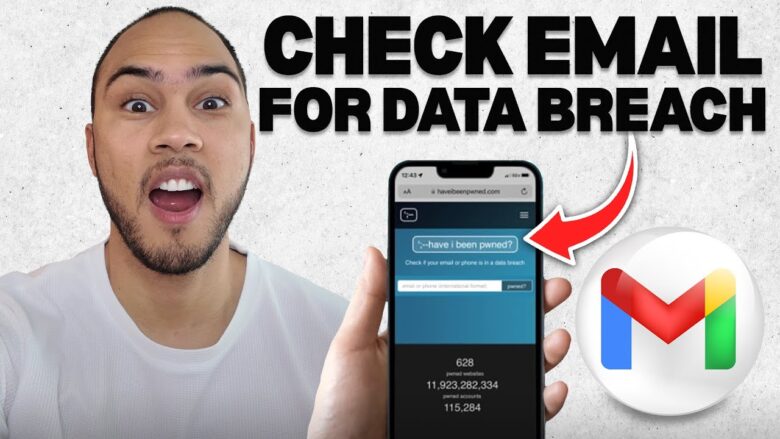
The absolute most trusted method to verify a data leak is utilizing Have I Been Pwned, a secure diagnostic platform created by cybersecurity analysts that indexes billions of stolen records. This service does not store your password or expose your data; it simply cross-references your email against known server breaches.
Open your mobile browser and navigate directly to haveibeenpwned.com. Type your primary personal email address into the central search field and tap the search button. Do not enter your password into this field.
Review the results displayed on your screen. A green banner indicates your email is currently secure and was not found in any indexed data dumps. A red banner indicates your email was compromised, and the platform will populate a chronological list of every specific corporate breach your address appeared in, detailing exactly what data was extracted, such as passwords, IP addresses, or phone numbers.
Method 2: Change Passwords and Purge Reused Credentials
If the diagnostic tool returns a red flag indicating a password exposure, you must immediately assume that specific password is now public knowledge. Because attackers deploy automated scripts to test leaked passwords across hundreds of different websites, reusing credentials is a fatal architectural flaw.
Navigate directly to the specific website or application that suffered the breach and initiate a password reset. You must completely abandon the compromised password and generate a unique, highly complex string of characters. Utilize the native password generator built into your Android keyboard or a trusted third-party application like Bitwarden or 1Password to create cryptographic passwords that are mathematically impossible to guess.
Method 3: Deploy Two-Factor Authentication Hardening
Changing your password only secures the first layer of your account architecture. If your email address is known to attackers, they will continue to target it with sophisticated phishing campaigns and brute-force attacks. You must implement a strict hardware or software verification barrier to completely lock down the routing access.
Open your Google Account settings on your Android device, navigate to the Security tab, and select 2-Step Verification. Disable standard SMS text message verification, as cellular signals can be easily intercepted via SIM swapping attacks. Instead, link your account to a localized time-based authenticator application, such as Google Authenticator, Authy, or a physical YubiKey hardware token. This ensures that even if an attacker acquires your leaked password, they mathematically cannot log into your account without possessing your physical smartphone.
Advanced Fix: Monitor the Dark Web and Setup Automated Alerts
When standard checks reveal a severe compromise involving sensitive information beyond just an email address, such as financial routing numbers or social security data, a manual database check is insufficient. You must deploy persistent background monitoring to intercept future leaks before the data is weaponized.
Return to the Have I Been Pwned website, tap the Notify Me tab at the top of the interface, and enter your email address. This registers your address in their secure database, instructing the system to immediately push an automated email alert to your inbox the exact millisecond your address is detected in a new data dump. Additionally, if you subscribe to a premium VPN service like NordVPN or Google One, activate their native Dark Web Monitoring modules to actively scan illicit hacker forums for your specific data parameters, providing you with an early warning system to freeze your credit before financial damage occurs.
Quick Reference Troubleshooting Matrix
| Issue Symptom Profile | Fastest Recommended Fix | Data Loss Risk |
| Email flagged in a known database leak | Change Passwords and Purge Reused Credentials | None |
| Frequent unauthorized login attempts | Deploy Two-Factor Authentication Hardening | None |
| Unrecognized devices in Google Security log | Revoke Device Access and Reset Master Password | None |
| Financial or Social Security data exposed | Setup Automated Dark Web Alerts and Freeze Credit | High |
| Reused password exposed in a third-party breach | Update Credentials via Native OS Password Monitors | None |
Frequently Asked Questions
What exactly does it mean when my email is “pwned”?
The term “pwned” is cybersecurity jargon meaning your data has been compromised, conquered, or stolen by a malicious actor. When a database tool flags your email as pwned, it confirms that a specific company you registered an account with suffered a catastrophic server breach, and your unencrypted personal information was successfully extracted and published on the dark web.
Is it safe to type my email address into these breach checking websites?
Yes, typing your email address into a reputable platform like Have I Been Pwned or the F-Secure Identity Theft Checker is entirely safe. These diagnostic engines operate strictly on a one-way query system; they cross-reference your email against their offline databases without storing your input, logging your keystrokes, or requesting your password.
Should I delete my email account completely if it was leaked?
Deleting a compromised email account is an extreme and usually unnecessary reaction. Because your email address acts as the central routing hub for your digital identity, deleting it will permanently sever your access to your bank accounts, medical portals, and Android device backups. Instead of deleting the account, simply purge the compromised passwords, enable strict two-factor authentication, and remain highly vigilant against incoming phishing attempts.
Conclusion
Securing your digital footprint requires proactive monitoring and strict credential hygiene. By routinely auditing your email address against verified breach databases and enforcing isolated, cryptographic passwords across all platforms, you effectively neutralize the threat of localized corporate data leaks and permanently lock attackers out of your primary Android ecosystem.